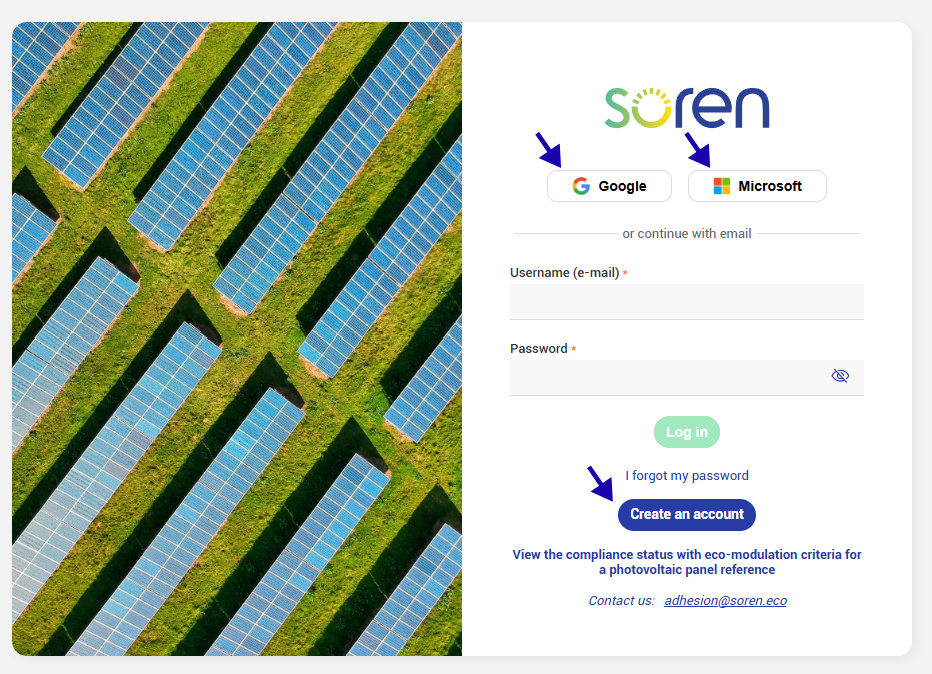
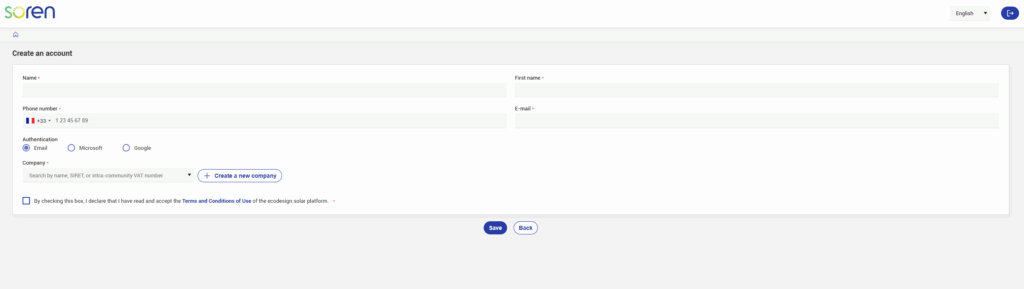
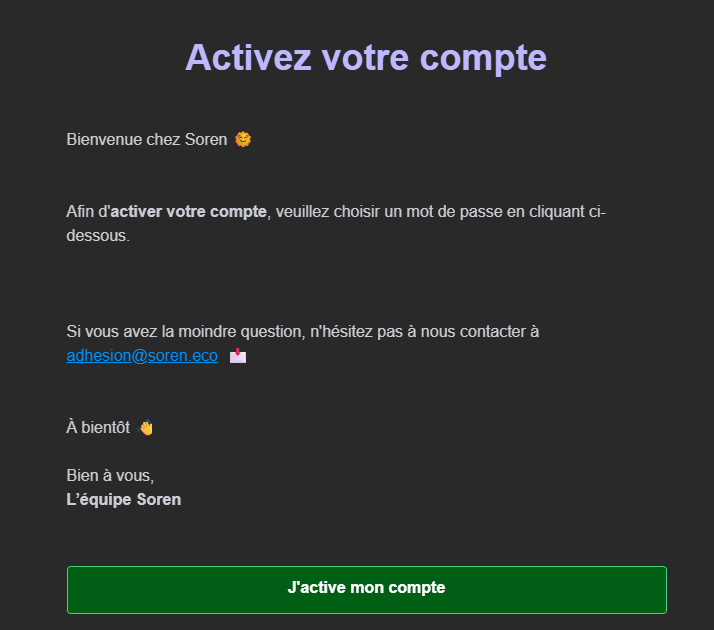
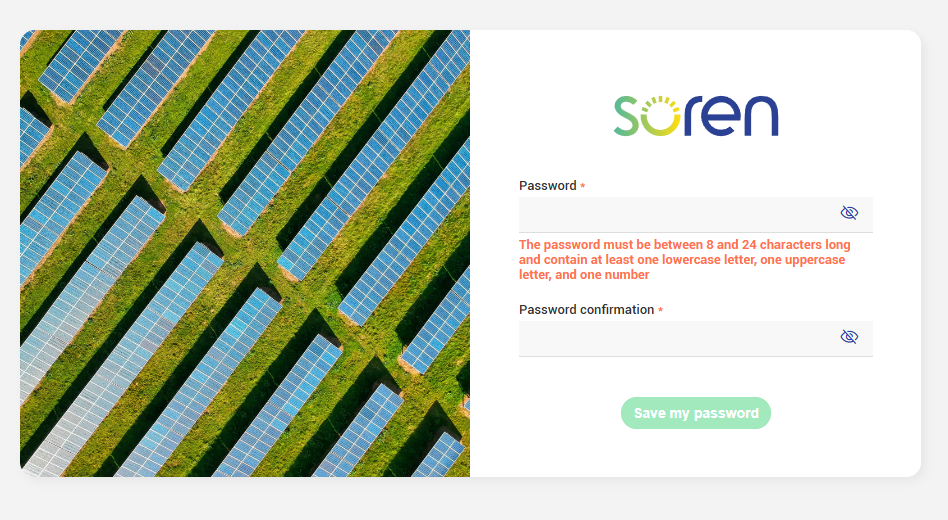
1. Creating a user account To access the ecodesign.solar app, sign-up using your email address, or log-in with your Google or Microsoft account Once the form has been validated, you will receive a confirmation email allowing you to continue with your registration Warning If you do not receive the confirmation email, please remember to check your spam or junk folder. × The confirmation email contains an activation link for your user account. This link will take you to the screen where you can create your password. It’s up to you now! Choose your password ☀️ Your password must contain at least 12 characters, including an uppercase letter, a lowercase letter, a number, and a special character. Congratulations! Your user account is now active, and you can now proceed to register your company. Updated on 24 November 2025 Was this article helpful? Yes No Related Articles 3. Submit your certificate request 2. Creating a panel reference
To access the ecodesign.solar app, sign-up using your email address, or log-in with your Google or Microsoft account
Once the form has been validated, you will receive a confirmation email allowing you to continue with your registration