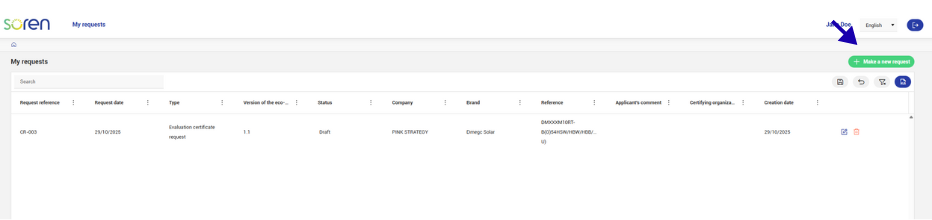
From your main screen, click on “+ Make a new request” to start the process. »
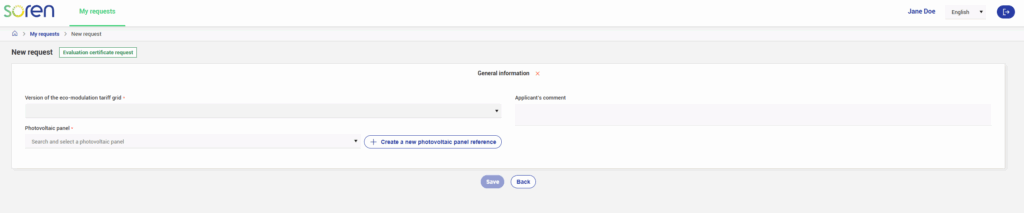
Step 1: Choose the Eco-Modulation Scale
Select the desired version of the eco-modulation scale. You can view it here.
Step 2: Enter the Panel Reference
Provide the reference of the photovoltaic panel you wish to test.
If the reference does not yet exist in the portal, you will need to createit before proceeding.
Step 3: Create a New Reference
To add a photovoltaic panel reference:
Click on “Create a reference.”
Fill in the required information (type, power, dimensions, etc.).
Save the reference so that it can be used in your projects.
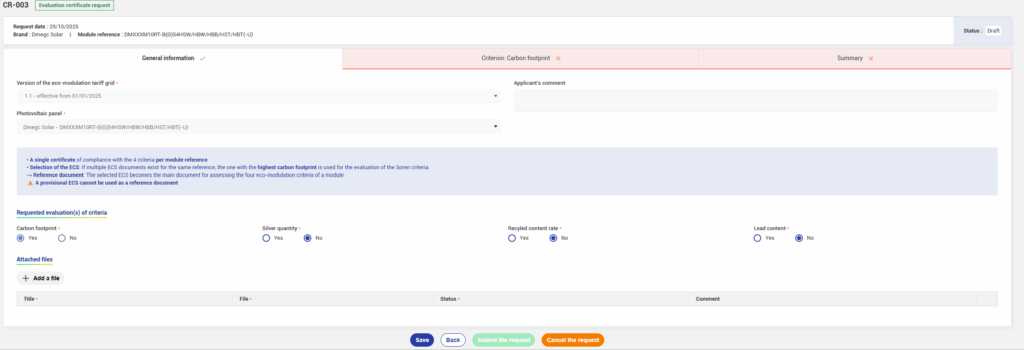
Once the information has been entered, you will be directed to the evaluation attestation request form.
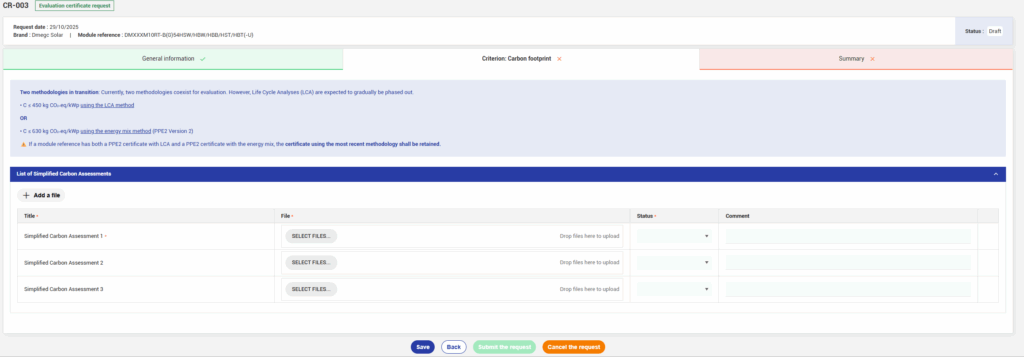
We invite you to select the criterias you would like to have evaluated.
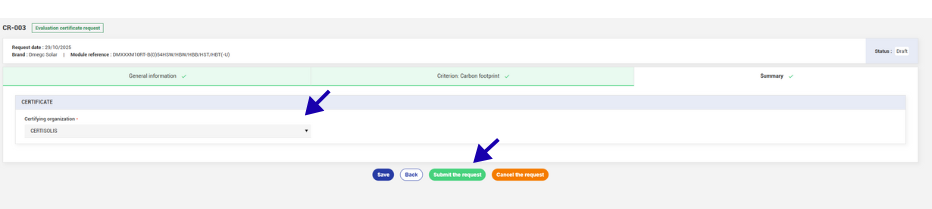
To submit your attestation request:
Select your certification organism in the “Summary” tab.
Click “Submit request.”
⚠️ If any required information is missing, the button will remain greyed out. In that case, please review the form again.
Congratulations, your attestation request has now been sent to the certification organism!
Once your request has been reviewed and validated by the certification body, it will upload the attestation directly to the “Summary” tab of your request, where you will be able to download it.
Good news: you will also be able to access the compliance status of your reference, as well as all other references for which requests have been submitted on the platform.